
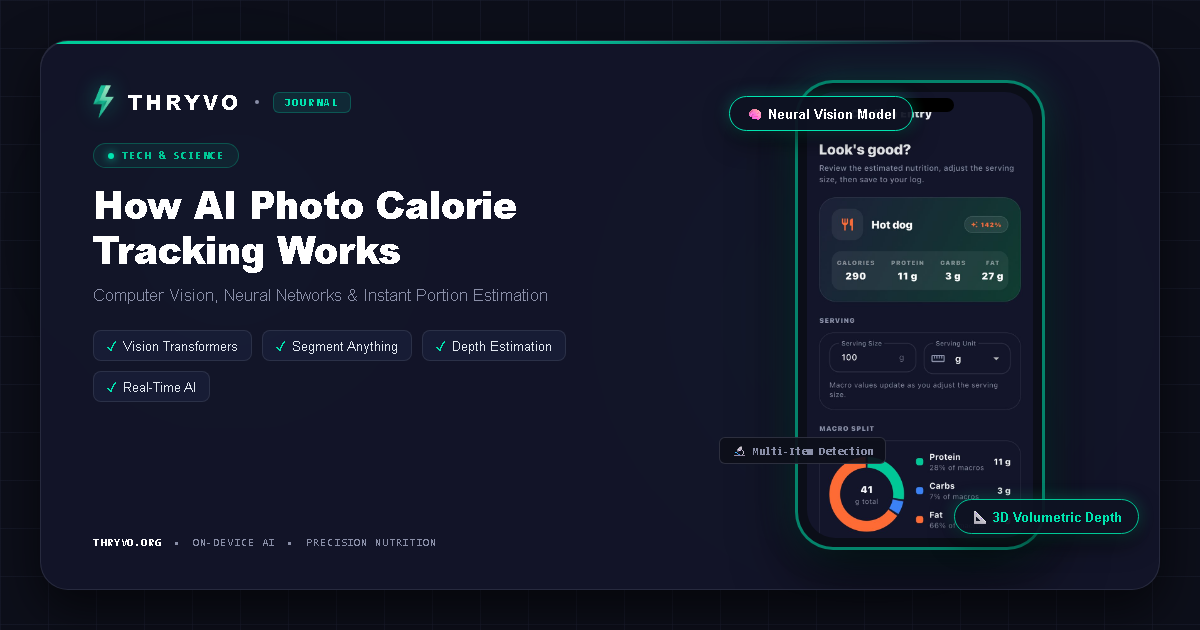
Taking a picture of lunch and receiving a calorie estimate feels simple. Under the surface, however, an AI photo calorie tracker has to solve several different problems: identify the foods, estimate portions, map those foods to nutrition data, and present a result that the user can correct.
That is why photo-based logging is best understood as a fast estimation workflow rather than a magic measurement device.
What happens after you take a meal photo?
A typical system moves through several stages.
1. Food recognition
The model examines visual patterns such as shape, texture, color, and context to identify likely foods. A clear image of an apple is relatively straightforward. A bowl containing rice, curry, vegetables, and sauce is harder because ingredients overlap.
2. Portion estimation
Recognizing “rice” is not enough. The system also needs a quantity. Portion estimation is one of the hardest parts of visual calorie tracking because a two-dimensional photo does not perfectly reveal depth, weight, or hidden ingredients.
3. Nutrition matching
Once foods and portions are estimated, the app connects those items to nutrition values. Calories and macros depend on recipe, preparation, and serving size, so the result should remain editable.
4. User confirmation
The strongest workflow keeps a human in the loop. If the app identifies grilled chicken but the portion is wrong, you should be able to correct it quickly. If a dressing or cooking oil is invisible, you can add it manually.
Why photo logging can be useful
The main benefit is speed. Traditional tracking can require searching a food database, choosing an entry, entering a quantity, and repeating that process for every component of a meal. A photo-first workflow can reduce those steps.
That matters because consistency is often more valuable than theoretical precision that is too tedious to maintain. A reasonable estimate logged every day can be more useful for trend awareness than a perfect entry logged only twice a week.
What makes photo calorie tracking difficult?
Hidden calories
Cooking oil, butter, sugar, dressings, sauces, and fillings may not be visible. A photo cannot reliably identify what the camera cannot see.
Mixed dishes
Soups, casseroles, curries, smoothies, and restaurant dishes can contain ingredients that look similar from the outside while having very different nutrition profiles.
Portion scale
Without a known reference object or depth information, estimating grams from an image is inherently difficult. Some systems ask follow-up questions or let the user adjust a serving slider.
Similar-looking foods
Low-fat yogurt and full-fat yogurt may look identical. So can sugar-free and regular versions of a drink. Visual recognition needs context from the user when appearance alone is insufficient.
On-device AI versus cloud processing
AI meal scanners can process images locally, in the cloud, or through a hybrid approach. Thryvo says its fitness AI is designed around on-device processing and that its food-scanning and posture features are part of the free product. Its support documentation specifically states that workout video is processed locally rather than streamed to its servers.
On-device processing can offer privacy and offline advantages, although the exact technical design varies by feature and by app. Users should read the current privacy documentation of any product they use.
How to get better results from a photo calorie tracker
Use bright, even lighting and make the whole plate visible. Take the image from an angle that shows both the food and approximate depth. Avoid covering one food with another when possible. If the app asks for serving size, spend a few seconds correcting it. For homemade meals, add ingredients the camera cannot see, especially oils and sauces.
Most importantly, do not treat one estimate as absolute truth. Look at patterns over time.
Photo tracking versus barcode scanning
Barcode scanning is well suited to packaged foods because the code can point to a specific product record. Photo scanning is better suited to plates, bowls, restaurant meals, and situations where typing every item would be slow.
The two methods solve different problems. Some users will prefer a product that supports both; others may care more about a photo-first workflow.
Frequently asked questions
Can AI calculate calories from a picture?
AI can estimate calories by recognizing foods, estimating portions, and connecting them to nutrition data. The result is still an estimate and can be wrong when ingredients or quantities are unclear.
Can a photo tracker calculate macros too?
Yes, if the identified food and quantity can be mapped to nutrition data containing protein, carbohydrate, and fat values.
Is a meal photo enough for restaurant food?
It can provide a starting estimate, but restaurant dishes often contain hidden fats, sauces, and larger portions. If nutrition information is available from the restaurant, that may be a better reference.
Bottom line
A photo calorie tracker is valuable because it compresses several logging steps into one interaction. The best systems combine fast recognition with transparent estimates and easy correction. AI can reduce logging friction, but the user should remain in control of the final entry.
Thryvo is developing a free AI fitness app that combines photo-based nutrition tracking with workout-form feedback and everyday progress tracking.
Sources and editorial notes
- Thryvo Support: https://thryvo.org/support.html (free-forever positioning, planned device support, on-device posture processing)
- Thryvo: https://thryvo.org/
- MyFitnessPal Free/Premium/Premium+ comparison: https://support.myfitnesspal.com/hc/en-us/articles/34889191368077-The-difference-between-Free-Premium-and-Premium
- MyFitnessPal Meal Scanner: https://support.myfitnesspal.com/hc/en-us/articles/360045761612-How-to-use-the-Meal-Scanner
- MyFitnessPal Barcode Scanner: https://support.myfitnesspal.com/hc/en-us/articles/360032624771-How-to-use-the-Barcode-Scanner
- Cal AI App Store listing: https://apps.apple.com/us/app/cal-ai-calorie-tracker/id6480417616
Health note: This article is educational and is not medical or individualized nutrition advice. AI food estimates, app calculations, and camera-based form feedback can be imperfect.